
Embershot Outbound
Every attachment, tracked, protected.
Every PDF your company emails becomes a verified link. You see who read it, where and how far, and the reader has no file to drag into an AI tool.
Running on our own company mail since November 4, 2026.
One mail rule. Senders change nothing.
-
1
You send
Someone at your company attaches a PDF in Gmail, Outlook or any mail app, as always.
-
2
Your mail rule
One rule in Google Workspace sends outside mail with a PDF through Embershot. Microsoft 365 is next.
-
3
The Embershot relay
Each PDF becomes a verified link at the top of the message. The message is still delivered from your domain and signed by it.
-
4
They read
The recipient confirms their email and reads a copy watermarked with it. Forwarded, the next reader does too.
Your mail always goes out: if a PDF can’t be converted for any reason, the message is delivered exactly as it was sent, attachment included.
What the recipient sees
-
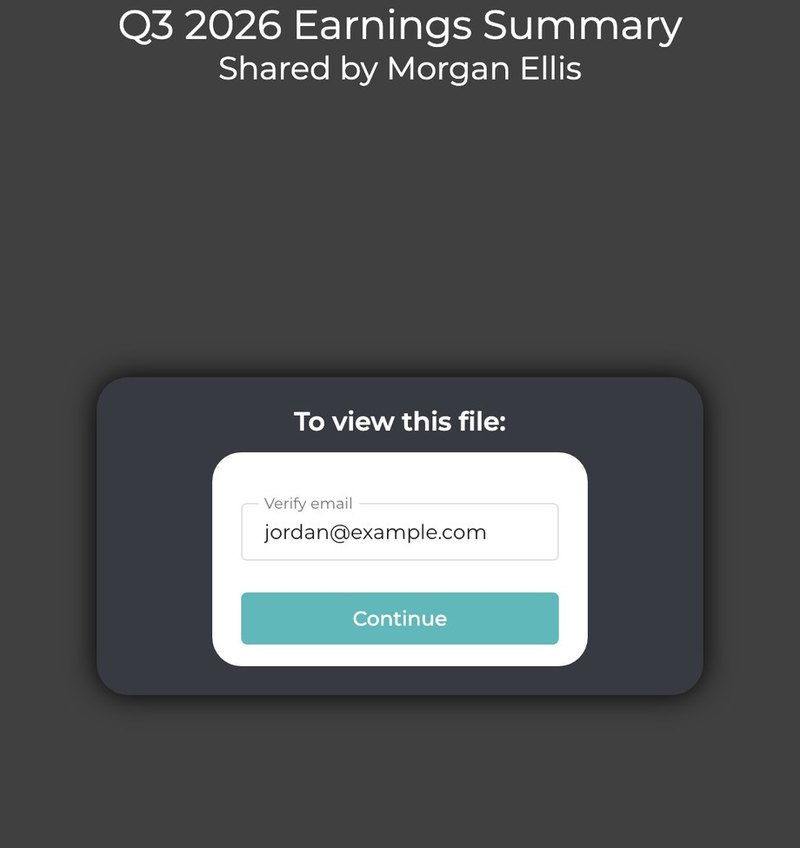
1They confirm their email
No account and no password. The page shows the document’s title and who shared it.
-
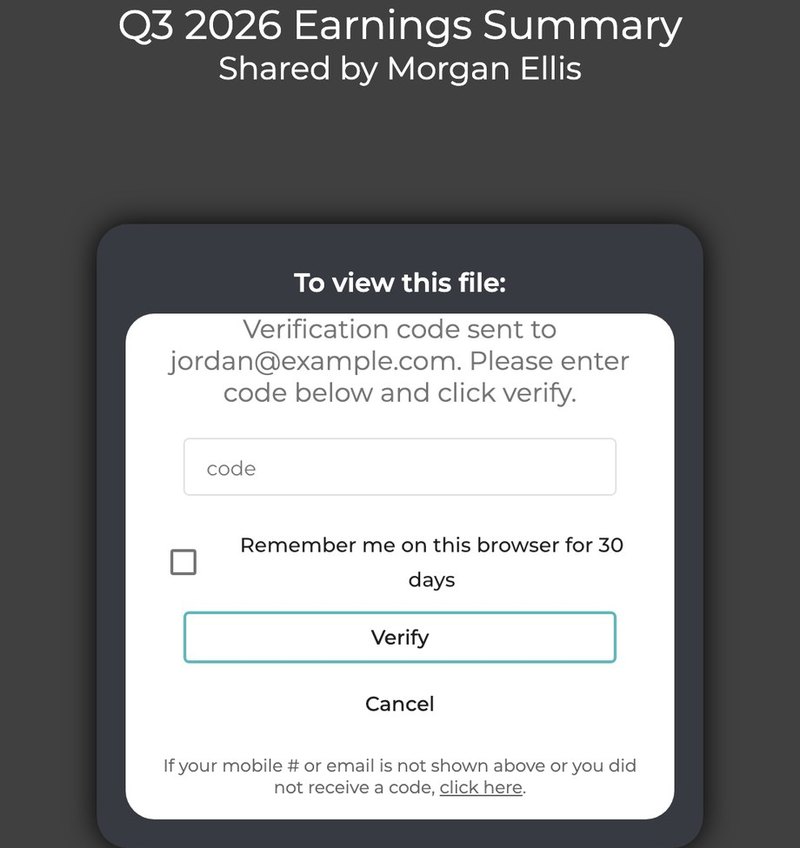
2They enter the code
Embershot sends a one-time code to that address, so every reader is a confirmed email, forwarded readers included.
-
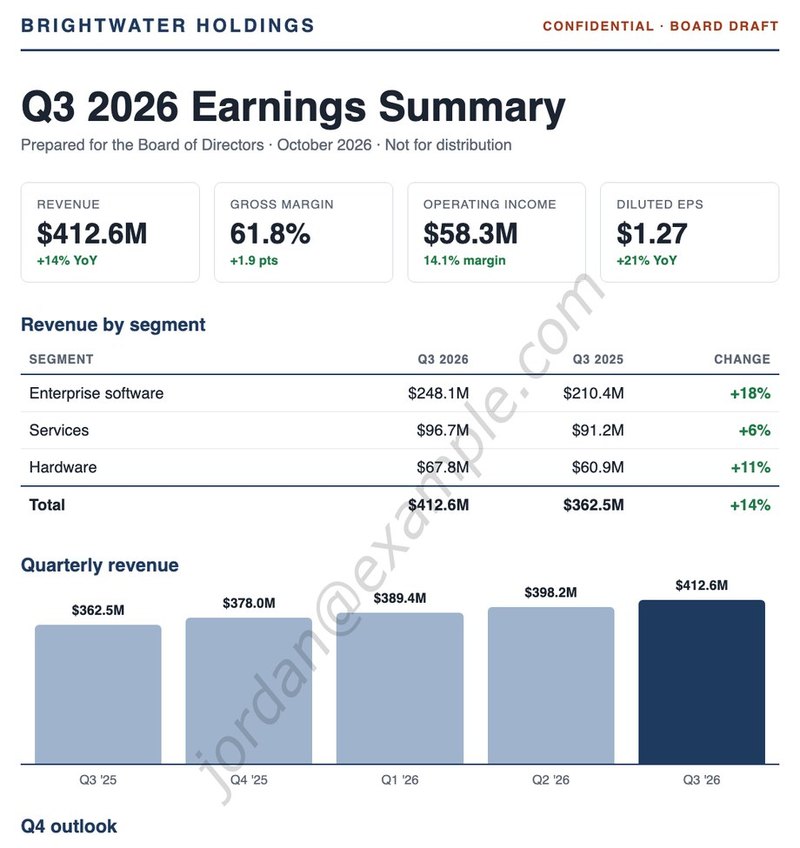
3They read their own copy
Every page carries their email as a watermark. Printing, downloading and copying text are off.
Real Embershot screens, shown with a sample document. Readers see page images in Embershot’s viewer, never the PDF itself, so there is no file to drag into an AI tool.
It forwards like a PDF, and you still know who has it
By default, anyone with the link can open it after confirming their email, so it travels the way an attachment does. Each new reader confirms their own email, gets their own watermarked copy and shows up in your record, marked as not on the original email.
Anyone with the link, after confirming their email
The default. Passed to a colleague, a lawyer or a partner, every reader is named and every copy is their own.
Only the people on the email
Choose it in your settings, and a forwarded link opens for nobody else.
What your company sees
Who opened it
Every reader confirms their email. A forwarded link adds the new reader, marked as not on the original email.
Where they were
Country, city and network, recorded for every open.
How far they read
Seconds spent on each page, for every reader.
Whose copy it was
Every page carries the reader’s email, so even a photo of a page shows whose copy it was.
AI agents, caught
When an AI agent drives the reader’s browser, the pages hide and the attempt is logged.
Take it back
Turn a link off, take a reader’s access away, or replace the file after it was sent.
Run it from two pages
Outbound Link Reports
- Every link made in the last 7, 30 or 90 days, from the mail relay, the add-ins and the API.
- People sent to, readers, opens, and readers who were not on the original email.
- The readers of each link, one by one, and a CSV download.
Outbound Link Settings
- Turn the relay on, run it in test mode or pause it.
- Who can open: anyone with the link after confirming their email, or only the people on the email.
- Link expiry, and how the link looks in the email.
- Attachment types: PDFs today; Word, Excel, PowerPoint and images next.
Both pages are in the Embershot web app, for your company’s site admins.
Add-ins for Gmail and Outlook
For people who send from their own inbox. Embershot for Gmail and the Embershot add-in for Outlook turn a PDF into the same verified link, inside the message being written.
Choose who can open it
Anyone with the link after confirming their email, which is the default, or only the people on the email.
Each person signs in
Every sender connects their own Embershot account. No shared key sits in anyone’s mail app.
In the company’s record
Links made from the add-ins show up in Outbound Link Reports next to the relay’s.
Included with Pro and Enterprise
No extra charge. Write to us and we’ll set them up for your team.
The same link from your systems, or for free
Embershot API
Send verified links from your CRM, deal room or any system that makes documents, and get every open back as data. Included with Outbound.
About the APIEmbershot Send
Free. Send a PDF as a verified link and see who opened it and when, even if it gets forwarded. Up to 3 PDFs, no password needed.
Send a PDF freeOutbound plans
Outbound Business
Contact us for pricing
Priced per mailbox.
- The mail relay for your company’s outgoing mail
- Sending policies: who can open, link expiry, attachment types
- A company-wide record of every link and every reader
- The Embershot API
Outbound Enterprise
Contact us for pricing
Priced per mailbox, billed annually, with a lower rate per mailbox as you add more.
- Everything in Business
- Read depth: seconds on every page, for every reader
- The AI-agent log
- Single sign-on
- Coming: hidden reader codes, your own link domain and SIEM export
Outbound adds to any Embershot Enterprise plan. Ask sales for pricing or compare all plans.
Questions
Which mail systems does it work with?
Google Workspace today. Your admin adds one mail route and one rule, and can try it on a test group first. Microsoft 365 is next.
Do senders need to install anything?
No. They attach PDFs as always, in any mail app, phones included. The change happens after they press Send, so their Sent folder still shows the PDF.
What if something goes wrong?
Your mail still goes out. If a PDF can’t be converted for any reason, the message is delivered exactly as it was sent, attachment included. Mail without a PDF never reaches Embershot at all.
Does the email still come from our domain?
Yes. The message is delivered from your domain and signed by it, like the rest of your company’s mail.
Which attachments become links?
PDFs today. Embershot already handles Word, PowerPoint, images, video and audio, and the mail relay gets them next.
Can people forward the link?
Yes, by default. The next reader confirms their own email, reads a copy watermarked with it, and shows up in your record as not on the original email. If you would rather a forwarded link open for nobody else, set links to open only for the people on the email.
Does this stop AI tools from reading our documents?
It helps. Readers get page images with printing, downloading and copying turned off, so there is no file to drag into an AI tool, and when an AI agent drives the reader’s browser the pages hide and the attempt is logged. It is not a guarantee: anyone can still photograph a screen, which is why their email is on every page.
See where your documents go
One mail rule, and every PDF your company sends becomes a verified link.