
Embershot API
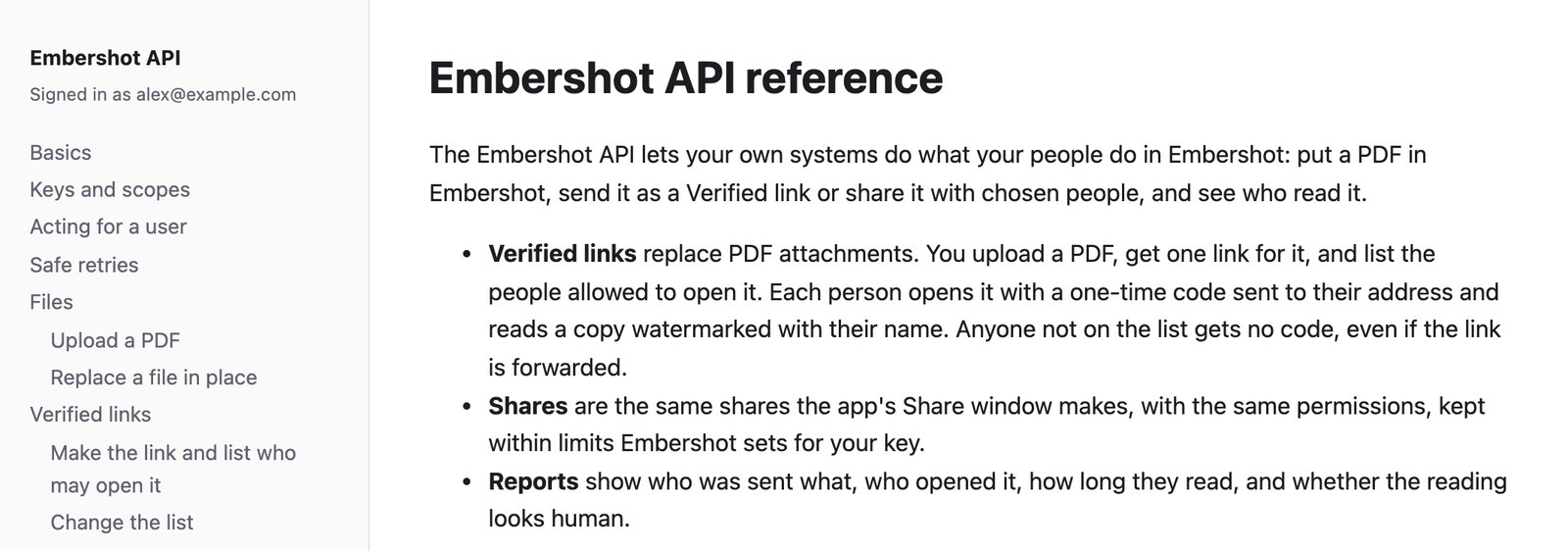
Send from your own systems. Know exactly who read it.
Turn any PDF your systems send into a Verified link. Each reader confirms their email, reads a copy with that email on every page, and every open comes back to you as data.
What the person you send it to sees
-
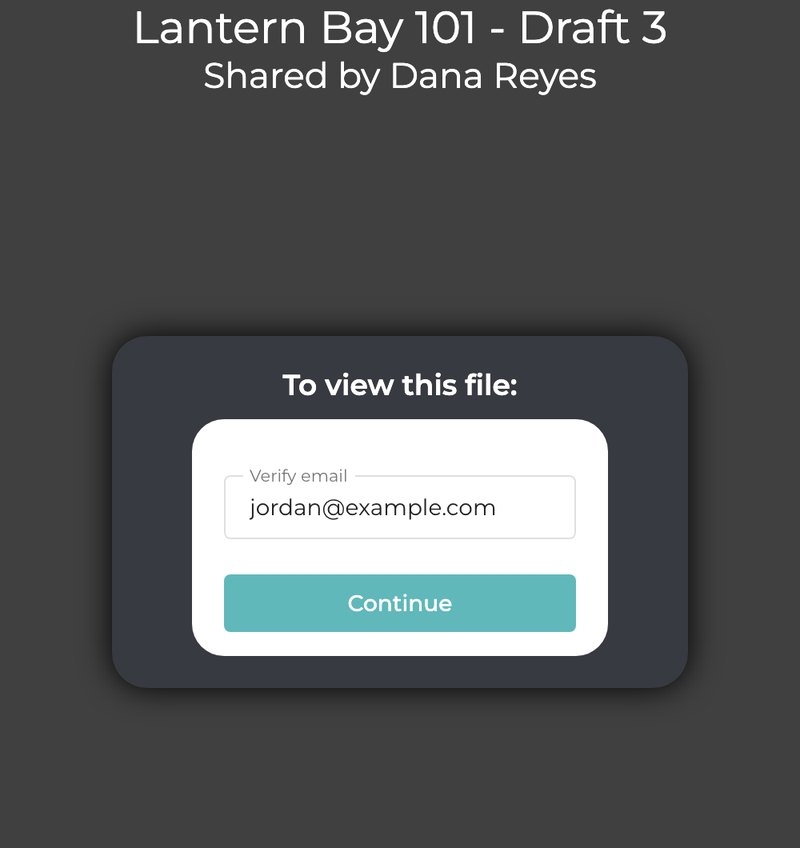
1They confirm their email
No account to create and no password. The page shows your file’s title and who sent it.
-
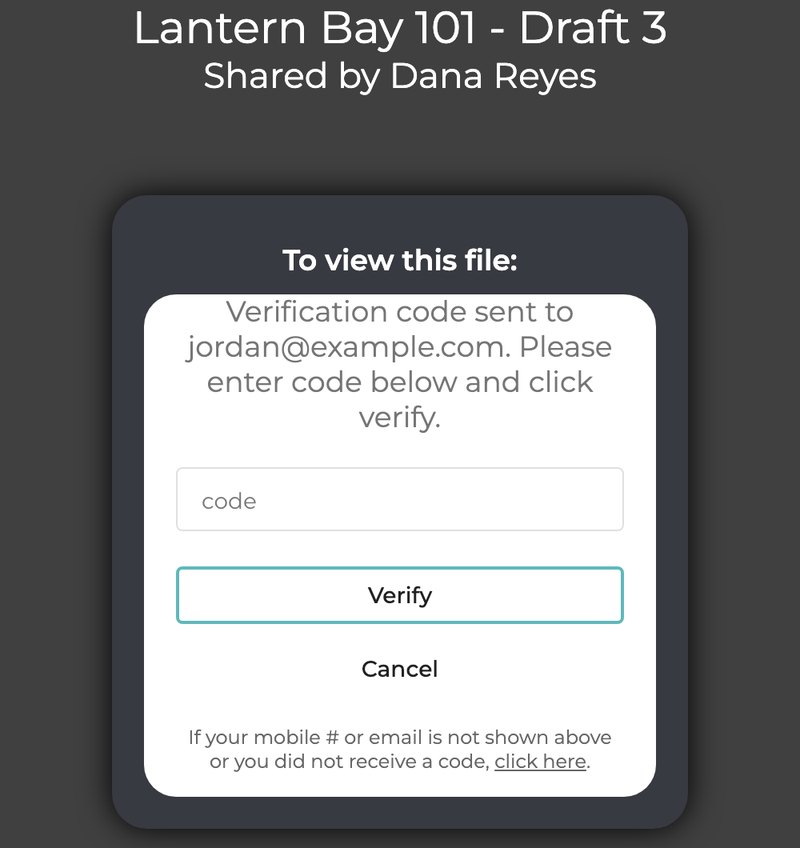
2They enter the code
Only people on your list get a code. A forwarded link gets the next person nowhere.
-

3They read their own copy
Every page carries their email as a watermark. Printing, downloading and copying text are off.
Readers see page images in Embershot’s viewer, never the PDF itself, so there is no file to drag into an AI tool. That gives some protection against AI ingestion that an emailed attachment never can.
How it fits into your systems
-
1
Upload the PDF
From your CRM, deal room, script tracker or any system that makes documents. Up to 100 MB.
-
2
List who may open it
One link per file. Add terms they must accept first, and an expiry date if you want one.
-
3
Send the link your way
Through your own email, app or portal. It works for everyone on the list.
-
4
Get every open back
Who opened it, when, how many pages they read and for how long.
Every step comes back to you: events within seconds, signed webhooks to your own endpoint, and reports you can pull as CSV.
See who read it, not just who clicked
- Who opened it and when, per person on the list, including how many codes they asked for.
- How far they read: pages viewed, seconds read and average time per page.
- A human-read label that flags machine-paced page turns. It is a signal, not proof.
- Forwarding attempts: someone not on your list who tries the link is refused, and you get an event.
- Reports by file, project and day, an audit trail of every share, view, print, download and revoke, and a log of every call your keys make.
Example: one reader{
  "email": "jordan@example.com",
  "opens": 1,
  "first_opened_at": "2026-11-02T16:03:27Z",
  "pages_viewed": 12,
  "seconds": 431,
  "avg_seconds_per_page": 28.7,
  "read_label": "human"
}
Example: events as they happen16:02:41  recipient.added  jordan@example.com
16:03:05  code.sent        jordan@example.com
16:03:27  link.opened      jordan@example.com
16:03:28  read.started     jordan@example.com
16:41:10  access.denied    casey@example.net
Stay in control after it’s sent
Take someone off the list
Their access ends within about a minute, even if they have the file open. Add them back and it returns.
Replace the PDF in place
Same link, same history. Everyone’s watermarked copy is made again from the new version.
Turn a link off
Nobody can open it again, and open readers close within about a minute.
Share with the app’s permissions
Watermark, print and download, device lock, expiry, self-destruct and NDA signature: the same settings as the Share window, inside limits agreed for your key.
Send as the right person
A call can act for any active, paid user in your organization, so links and shares show up in the app as theirs.
Instant first opens
Ask for each reader’s watermarked copy to be made up front, and it is ready the moment they verify.
Built for your developers and your security team
Scoped keys, issued by Embershot
Each key gets only the scopes it needs: links, shares, reports, users or webhooks. Keys can be limited to your IP addresses.
Rotation without downtime
Rotate a key whenever you like. The old one keeps working for 24 hours while you deploy the new one.
Test keys that can’t reach real people
A test key only adds recipients at your own test domains, so trying things out never emails a customer.
Safe retries
Send an idempotency key with a request and a retry returns the first answer instead of doing the work twice.
Signed webhooks
Every delivery is signed with HMAC-SHA256 and retried automatically if your endpoint is down.
Limits Embershot enforces
A request above your key’s sharing limits is refused and named, never quietly weakened. By default the watermark is always on and every share ends within 90 days.
Where it fits
Scripts and cuts to buyers and talent
Send from the system that tracks your submissions, and see which buyer actually read draft 3.
Board packs and investor updates
One link per document, a list of who may open it, and a record of who read which pages.
Contracts and term sheets out for review
Require your terms before anything opens, replace the draft in place, and take access back when talks end.
Guides you keep up to date
Our own guide to Embershot Send is published through the API. Each update replaces it in place, so the link never changes.
Open itQuestions
Who can use the API?
The API is an add-on for Enterprise accounts. Embershot issues each key with the scopes and sharing limits agreed with you. Write to sales to set it up.
Do readers need an Embershot account?
No sign-up and no password. They confirm their email with a 6-digit code and read in their browser.
What happens if the link is forwarded?
The new reader has to confirm their own email. If they are not on your list, no code is sent, the page does not say whether they are listed, and your system gets an access-denied event.
Can we test it without emailing real people?
Yes. A test key only adds recipients at the test domains you name, and never makes links that anyone can open.
How reliable is the human-read label?
It is a signal, not proof. It flags page turns at about three seconds a page or faster with machine-steady timing, and says “unverified” when there are too few page views to tell.
Does this stop AI tools from reading our documents?
It helps. Readers get page images in Embershot’s viewer with printing, downloading and copying turned off, so there is no PDF to feed into an AI tool. It is not a guarantee: anyone can still photograph a screen, which is why their email is on every page.
What can we upload?
PDFs up to 100 MB. Most files are ready to send within seconds.
Put Embershot behind your own systems
API access is an add-on for Enterprise accounts, which start at $500 a month.